Motion Computing C5te Guida Utente Pagina 52
- Pagina / 90
- Indice
- RISOLUZIONE PROBLEMI
- SEGNALIBRI

- C5te/F5te Tablet PC 1
- User’s Guide 1
- Contents 3
- Getting Started 6
- Optional features 7
- View Anywhere display 8
- Other optional features 8
- Overview of the C5te/F5te 9
- Right side 11
- Function button 13
- Step 1: Power up the tablet 14
- Set up Wi-Fi 15
- Set up Bluetooth 16
- Hibernate mode 18
- Lock and unlock the Tablet PC 18
- Sleep mode 18
- Optional setup tasks 19
- For more information 20
- Using your C5te/F5te 21
- Changing the taskbar 22
- Using the Motion Dashboard 23
- Using touch 25
- Calibrate touch 26
- Customizing touch input mode 27
- Adjusting touch settings 27
- Adjusting pen settings 28
- Adjusting Tablet PC settings 28
- • Select Docking 31
- Using handwriting recognition 32
- Using the front panel buttons 33
- Setting display options 35
- Display settings 36
- Mirror display 36
- Extended with monitor primary 36
- Extended with tablet primary 37
- Monitor only 37
- Tablet only 37
- Connect an external monitor 37
- Using speech recognition 38
- Set up the microphones 39
- Taking the speech tutorial 39
- Using the cameras 40
- SnapWorks™ by Motion® 41
- Using the barcode scanner 45
- Using the RFID reader 46
- • ISO/IEC 14443A/B 47
- • ISO/IEC 15693 47
- • ISO/IEC 18000-3 47
- • MIFARE Classic 47
- Using the battery 48
- Hot-swapping the battery 52
- Long-term battery storage 52
- Disposing of used batteries 52
- Changing the power plan 53
- Using Wi-Fi (802.11a/g/n) 54
- Setting up a Wi-Fi connection 55
- Using the Connection Manager 56
- Using Bluetooth 57
- Using the fingerprint reader 58
- Replace your passwords 61
- Using the smart card reader 62
- Using the SIM card slot 63
- Using Windows® Action Center 65
- Setting up user accounts 65
- Locating your serial number 66
- Backing up your system 66
- Restoring your system 66
- Creating a system image 67
- Finding other software 69
- Caring for your C5te/F5te 70
- Caring for the display 71
- Cleaning solutions 71
- Caring for the pen 71
- Replacing pen tips 72
- Disinfecting procedures 72
- Caring for the tablet battery 74
- Troubleshooting and 75
- Dashboard button 76
- Windows® Security button 76
- Camera button 76
- Battery issues 77
- Display issues 77
- Touch or pen issues 78
- Ports and connectors issues 79
- Network issues 80
- Bluetooth wireless tips 81
- Audio issues 83
- System issues 83
- Frequently asked questions 84
- Numerics 86
Prodotti e manuali riguardandi Tablet da disegno Motion Computing C5te
LG HT806TGW podręczniki
Instrukcje obsługi i podręczniki użytkownika dla Odtwarzacze DVD LG HT806TGW.
Dostarczamy 3 pdf podręczników LG HT806TGW do pobrania za darmo według typów dokumentów: Instrukcja Użytkownika
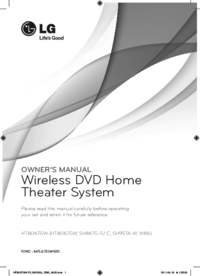
Lg HT806TGW Instrukcja Użytkownika (47 strony)
Marka: Lg | Kategoria: DVD players | Rozmiar: 3.87 MB |

Spis treści
7
10
10
12
13
22
22
23
27
30
30
30
41
44
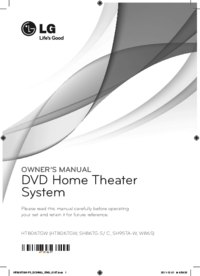
Lg HT806TGW Instrukcja Użytkownika (45 strony)
Marka: Lg | Kategoria: DVD players | Rozmiar: 3.82 MB |
Spis treści
10
11
20
20
21
25
28
28
28
39
42
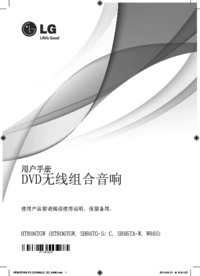
Lg HT806TGW Instrukcja Użytkownika (60 strony)
Marka: Lg | Kategoria: DVD players | Rozmiar: 5.26 MB |

Spis treści
9
10
13
14
14
15
16
17
17
18
24
25
25
31
31
32
39
Więcej produktów i instrukcji dla Odtwarzacze DVD LG
| Modele | Rodzaj dokumentu |
|---|---|
| DA-3620AD | Instrukcja Użytkownika LG DA-3620AD Instruktionsbogen, 30 strony |
| DF9911PH |
Instrukcja Użytkownika
LG DF9911PH Owner’s Manual,
33 strony
|
| DM2520K |
Instrukcja Użytkownika
LG DM2520K Owner's manual,
38 strony
|
| LH-T761SB |
Instrukcja Użytkownika
LG LH-T761SB Owner's manual,
28 strony
|
| LF-K9350Q |
Instrukcja Użytkownika
LG LF-K9350Q Owner's manual,
32 strony
|
| FB166 |
Instrukcja Użytkownika
 LG FB166 Інструкція користувача,
40 strony |
| BD350V | Instrukcja Użytkownika LG BD350V Brukermanual, 36 strony |
| MDD112 |
Instrukcja Użytkownika
LG MDD112 Owner’s Manual,
20 strony
|
| DK377 |
Instrukcja Użytkownika
LG DK377 Руководство пользователя [it] ,
54 strony
|
| DM7630 |
Instrukcja Użytkownika
LG DM7630 Owner’s Manual,
44 strony
|
| HT502TH-A2 |
Instrukcja Użytkownika
LG HT502TH-A2 Owner’s Manual,
24 strony
|
| DP547H |
Instrukcja Użytkownika
LG DP547H Owner's manual,
24 strony
|
| V190 |
Instrukcja Użytkownika
LG V190 Owner's manual,
36 strony
|
| BH7540TW |
Instrukcja Użytkownika
 LG BH7540TW manuel du propriétaire,
80 strony |
| RBD154 |
Instrukcja Użytkownika
 LG RBD154 Руководство пользователя,
20 strony |
| LAD4700 |
Instrukcja Użytkownika
LG LAD4700 Owner’s Manual,
36 strony
|
| DVD-3351P |
Instrukcja Użytkownika
LG DVD-3351P Owner’s Manual,
48 strony
|
| MD9350DV |
Instrukcja Użytkownika
LG MD9350DV Owner's manual,
24 strony
|
| DV4941P |
Instrukcja Użytkownika
LG DV4941P Owner's manual,
44 strony
|
| HT806PH |
Instrukcja Użytkownika
LG HT806PH Owner's manual,
43 strony
|
© 2020, manymanuals.it. Tutti i diritti riservati | 0.027 s |
 Manymanuals.com
 Manymanuals.de
 Manymanuals.fr
 Manymanuals.it
 Manymanuals.pl
 Manymanuals.cz
 Manymanuals.es
 Manymanuals-pt.com
Commenti su questo manuale