Motion Computing LE1700 Guida Utente Pagina 70
- Pagina / 82
- Indice
- RISOLUZIONE PROBLEMI
- SEGNALIBRI

- Motion™ LE1700 Tablet PC 1
- User’s Guide 1
- Contents 3
- Getting Started 7
- Overview 8
- Setting up the LE1700 11
- Features 13
- Function button 14
- Front panel buttons 15
- Status lights 16
- Security 16
- Fingerprint reader 17
- Windows Security button 17
- Microphones 18
- Speakers 18
- Ambient light sensor (ALS) 18
- DataGuard 18
- Infrared (IrDA) 19
- USB 2.0 ports 19
- Headphones port 19
- Microphone port 19
- Security slot 20
- VGA port 20
- DVI-D port 20
- Docking port 20
- Ethernet port 20
- SD (Secure Digital) card slot 21
- PC card slot 21
- SIM card slot 21
- Wi-Fi (802.11a/b/g wireless) 22
- Wireless Broadband 22
- Bluetooth wireless 22
- Power adapter 23
- Using your Tablet PC 25
- Using Motion Dashboard 26
- Using the pen 27
- Using Tablet PC Input Panel 28
- Configuring pen options 28
- Function 29
- Directional pad 29
- Using USB 30
- Using Ethernet 30
- Using the display 30
- Rotating the display 31
- Using speech recognition 34
- Using power management 35
- Using Standby 37
- Using Hibernate 37
- Using the battery 38
- Battery maintenance 40
- Disposing of used batteries 41
- Capturing a fingerprint 43
- Using password replacement 45
- Using the password wizard 46
- Using Windows Security Center 49
- Setting a BIOS password 50
- Using Wi-Fi (802.11a/b/g) 52
- Using Wireless Broadband 53
- Using Bluetooth 54
- Using infrared 57
- Finding additional software 57
- Care and Maintenance 59
- Standard display 60
- View Anywhere display 60
- Disinfecting procedures 61
- Cleaning solutions 62
- Replacing pen tips 63
- Ordering new pens 63
- Replacing the antenna 64
- Traveling with your Tablet PC 64
- Restoring data 65
- Creating a backup archive 66
- Creating a bootable disk 66
- Removing the Acronis OEM Zone 67
- Troubleshooting and 69
- Ports and connectors 72
- Frequently asked questions 73
- Specifications 75
- Service and Support 75
- Numerics 77
- 76 Index 82
Prodotti e manuali riguardandi Tablet da disegno Motion Computing LE1700
LG HT806TGW podręczniki
Instrukcje obsługi i podręczniki użytkownika dla Odtwarzacze DVD LG HT806TGW.
Dostarczamy 3 pdf podręczników LG HT806TGW do pobrania za darmo według typów dokumentów: Instrukcja Użytkownika
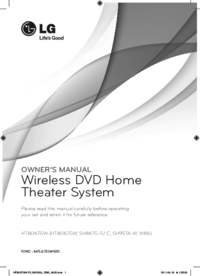
Lg HT806TGW Instrukcja Użytkownika (47 strony)
Marka: Lg | Kategoria: DVD players | Rozmiar: 3.87 MB |

Spis treści
7
10
10
12
13
22
22
23
27
30
30
30
41
44
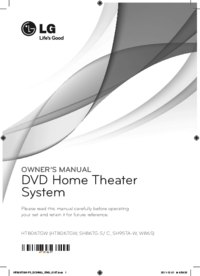
Lg HT806TGW Instrukcja Użytkownika (45 strony)
Marka: Lg | Kategoria: DVD players | Rozmiar: 3.82 MB |
Spis treści
10
11
20
20
21
25
28
28
28
39
42
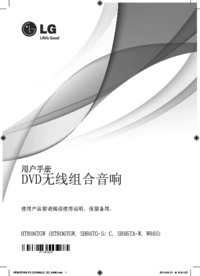
Lg HT806TGW Instrukcja Użytkownika (60 strony)
Marka: Lg | Kategoria: DVD players | Rozmiar: 5.26 MB |

Spis treści
9
10
13
14
14
15
16
17
17
18
24
25
25
31
31
32
39
Więcej produktów i instrukcji dla Odtwarzacze DVD LG
| Modele | Rodzaj dokumentu |
|---|---|
| DA-3620AD | Instrukcja Użytkownika LG DA-3620AD Instruktionsbogen, 30 strony |
| DF9911PH |
Instrukcja Użytkownika
LG DF9911PH Owner’s Manual,
33 strony
|
| DM2520K |
Instrukcja Użytkownika
LG DM2520K Owner's manual,
38 strony
|
| LH-T761SB |
Instrukcja Użytkownika
LG LH-T761SB Owner's manual,
28 strony
|
| LF-K9350Q |
Instrukcja Użytkownika
LG LF-K9350Q Owner's manual,
32 strony
|
| FB166 |
Instrukcja Użytkownika
 LG FB166 Інструкція користувача,
40 strony |
| BD350V | Instrukcja Użytkownika LG BD350V Brukermanual, 36 strony |
| MDD112 |
Instrukcja Użytkownika
LG MDD112 Owner’s Manual,
20 strony
|
| DK377 |
Instrukcja Użytkownika
LG DK377 Руководство пользователя [it] ,
54 strony
|
| DM7630 |
Instrukcja Użytkownika
LG DM7630 Owner’s Manual,
44 strony
|
| HT502TH-A2 |
Instrukcja Użytkownika
LG HT502TH-A2 Owner’s Manual,
24 strony
|
| DP547H |
Instrukcja Użytkownika
LG DP547H Owner's manual,
24 strony
|
| V190 |
Instrukcja Użytkownika
LG V190 Owner's manual,
36 strony
|
| BH7540TW |
Instrukcja Użytkownika
 LG BH7540TW manuel du propriétaire,
80 strony |
| RBD154 |
Instrukcja Użytkownika
 LG RBD154 Руководство пользователя,
20 strony |
| LAD4700 |
Instrukcja Użytkownika
LG LAD4700 Owner’s Manual,
36 strony
|
| DVD-3351P |
Instrukcja Użytkownika
LG DVD-3351P Owner’s Manual,
48 strony
|
| MD9350DV |
Instrukcja Użytkownika
LG MD9350DV Owner's manual,
24 strony
|
| DV4941P |
Instrukcja Użytkownika
LG DV4941P Owner's manual,
44 strony
|
| HT806PH |
Instrukcja Użytkownika
LG HT806PH Owner's manual,
43 strony
|
© 2020, manymanuals.it. Tutti i diritti riservati | 0.033 s |
 Manymanuals.com
 Manymanuals.de
 Manymanuals.fr
 Manymanuals.it
 Manymanuals.pl
 Manymanuals.cz
 Manymanuals.es
 Manymanuals-pt.com
Commenti su questo manuale