Motion-computing MOTION C5 Manuale Utente Pagina 54
- Pagina / 86
- Indice
- RISOLUZIONE PROBLEMI
- SEGNALIBRI


- User’s Guide 1
- Motion C5 1
- Motion F5 1
- Contents 3
- Getting Started 7
- Overview 8
- Right side 9
- Top side 9
- Back side 10
- Setting up the system 11
- • In Windows XP: 12
- • In Windows Vista: 12
- 8 Chapter 1 Getting Started 14
- Features 15
- Status lights 16
- Front panel buttons 17
- Security 18
- Windows Security button 19
- Fingerprint reader 19
- DataGuard 20
- Bar code scanner (optional) 21
- RFID reader 22
- Smart card reader 22
- Microphones 22
- Docking connector 23
- Wi-Fi (802.11a/b/g wireless) 23
- Mobile Broadband 24
- Bluetooth wireless 24
- Power adapter 25
- 20 Chapter 2 Features 26
- Using the system 27
- Using Motion Dashboard 28
- Using the pen 29
- Using Tablet PC Input Panel 29
- Configuring pen options 30
- Using the display 33
- Using the bar code scanner 35
- Using the RFID reader 36
- Using the camera 37
- Smart card 38
- Using speech recognition 40
- Using the battery 43
- Charging the battery 44
- Swapping the battery 45
- Using power management 46
- Using Hibernate 47
- Using Standby 47
- Using Wi-Fi (802.11a/b/g) 48
- Using Mobile Broadband 50
- Connecting and disconnecting 51
- Using the SIM card slot 51
- SIM slot 52
- Diagnostic port 52
- Using Bluetooth 53
- Capturing a fingerprint 57
- Using password replacement 60
- Using the password wizard 60
- Using Windows Security Center 62
- Setting a BIOS password 63
- Finding additional software 64
- Care and Maintenance 65
- Standard display 66
- View Anywhere display 66
- Disinfecting procedures 67
- Cleaning the fan cover 68
- Traveling with the system 70
- Restoring data 71
- Creating a backup archive 72
- Creating a bootable disk 72
- Removing the Acronis OEM Zone 73
- Troubleshooting and 75
- Ports and connectors 77
- Frequently asked questions 79
- Specifications 80
- Service and support 81
- Numerics 83
Prodotti e manuali riguardandi Notebook Motion-computing MOTION C5
 (78 pagine)
LG HT806TGW podręczniki
Instrukcje obsługi i podręczniki użytkownika dla Odtwarzacze DVD LG HT806TGW.
Dostarczamy 3 pdf podręczników LG HT806TGW do pobrania za darmo według typów dokumentów: Instrukcja Użytkownika
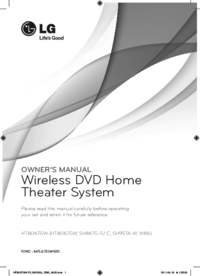
Lg HT806TGW Instrukcja Użytkownika (47 strony)
Marka: Lg | Kategoria: DVD players | Rozmiar: 3.87 MB |
Spis treści
7
10
10
12
13
22
22
23
27
30
30
30
41
44
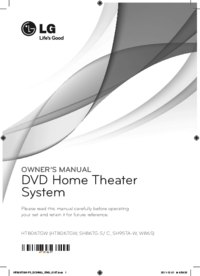
Lg HT806TGW Instrukcja Użytkownika (45 strony)
Marka: Lg | Kategoria: DVD players | Rozmiar: 3.82 MB |
Spis treści
10
11
20
20
21
25
28
28
28
39
42
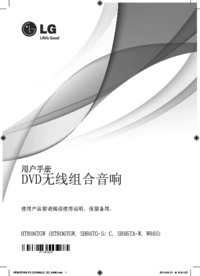
Lg HT806TGW Instrukcja Użytkownika (60 strony)
Marka: Lg | Kategoria: DVD players | Rozmiar: 5.26 MB |

Spis treści
9
10
13
14
14
15
16
17
17
18
24
25
25
31
31
32
39
Więcej produktów i instrukcji dla Odtwarzacze DVD LG
| Modele | Rodzaj dokumentu |
|---|---|
| DA-3620AD | Instrukcja Użytkownika LG DA-3620AD Instruktionsbogen, 30 strony |
| DF9911PH |
Instrukcja Użytkownika
LG DF9911PH Owner’s Manual,
33 strony
|
| DM2520K |
Instrukcja Użytkownika
LG DM2520K Owner's manual,
38 strony
|
| LH-T761SB |
Instrukcja Użytkownika
LG LH-T761SB Owner's manual,
28 strony
|
| LF-K9350Q |
Instrukcja Użytkownika
LG LF-K9350Q Owner's manual,
32 strony
|
| FB166 |
Instrukcja Użytkownika
 LG FB166 Інструкція користувача,
40 strony |
| BD350V | Instrukcja Użytkownika LG BD350V Brukermanual, 36 strony |
| MDD112 |
Instrukcja Użytkownika
LG MDD112 Owner’s Manual,
20 strony
|
| DK377 |
Instrukcja Użytkownika
LG DK377 Руководство пользователя [it] ,
54 strony
|
| DM7630 |
Instrukcja Użytkownika
LG DM7630 Owner’s Manual,
44 strony
|
| HT502TH-A2 |
Instrukcja Użytkownika
LG HT502TH-A2 Owner’s Manual,
24 strony
|
| DP547H |
Instrukcja Użytkownika
LG DP547H Owner's manual,
24 strony
|
| V190 |
Instrukcja Użytkownika
LG V190 Owner's manual,
36 strony
|
| BH7540TW |
Instrukcja Użytkownika
 LG BH7540TW manuel du propriétaire,
80 strony |
| RBD154 |
Instrukcja Użytkownika
 LG RBD154 Руководство пользователя,
20 strony |
| LAD4700 |
Instrukcja Użytkownika
LG LAD4700 Owner’s Manual,
36 strony
|
| DVD-3351P |
Instrukcja Użytkownika
LG DVD-3351P Owner’s Manual,
48 strony
|
| MD9350DV |
Instrukcja Użytkownika
LG MD9350DV Owner's manual,
24 strony
|
| DV4941P |
Instrukcja Użytkownika
LG DV4941P Owner's manual,
44 strony
|
| HT806PH |
Instrukcja Użytkownika
LG HT806PH Owner's manual,
43 strony
|
© 2020, manymanuals.it. Tutti i diritti riservati | 0.041 s |
 Manymanuals.com
 Manymanuals.de
 Manymanuals.fr
 Manymanuals.it
 Manymanuals.pl
 Manymanuals.cz
 Manymanuals.es
 Manymanuals-pt.com
Commenti su questo manuale